How AI Boosted My Tasks as a Technical Lead
A Practical Approach Using My Preferred Artificial Intelligence Tools
On this page

I think it’s clear how powerful the artificial intelligence tools are today, and how most people are getting used to interacting with these tools in their daily tasks. At the same time, as AI tools are relatively new in some areas/companies, it’s possible to see people approaching these tools in different ways.
Taking this into account, I want to share with you how I’ve been applying AI tools in a standardized way as a Technical Lead/Manager. And to be honest, I believe the approach outlined below applies to any technical role that is actively involved in a software development cycle.
The end goal here is to share a sort of framework that can be reusable in any area that follows a similar lifecycle: from the conception of features and their technical solution to the outcomes communication. Additionally, this is not meant to be a theoretical discussion only. I’ll share with you my preferred AI tools for each step below.
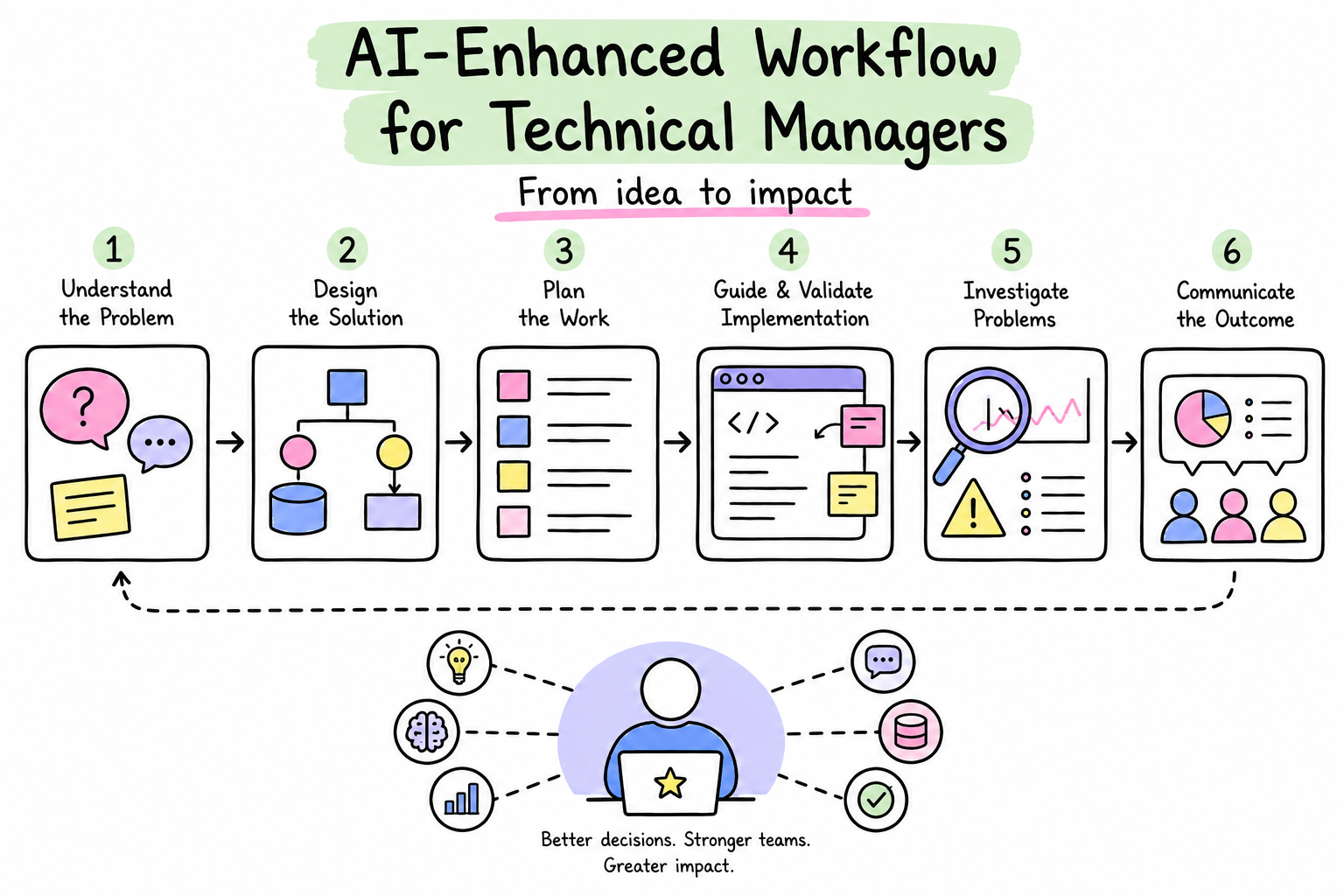
So, you’ll see in the following sections how & which AI tools I’ve been applying at each stage as a Technical Manager in my current job.
1. Business Requirements Refinement
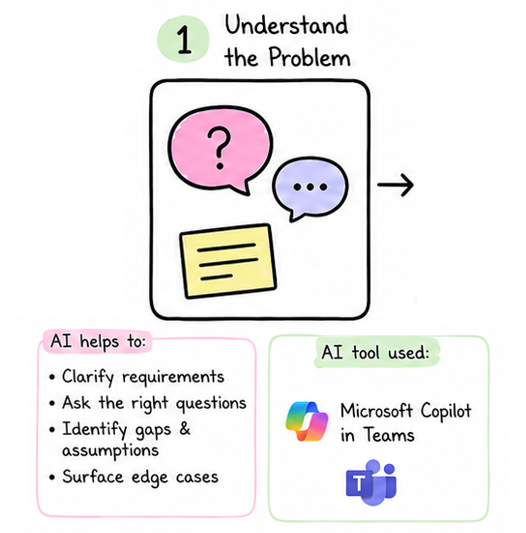
As we know, without business requirements, there is no project to work on. Most developers may think AI tools are only meant to be on the coding side, but in this essential first step of the development lifecycle, we can also use AI to optimize several tasks.
In my case, as I’m currently working 100% remote, any business requirement refinement will happen through a call on MSFT Teams, and this is the opportunity to start leveraging the first AI tool in this whole process. The most important step at this stage starts with you enabling Copilot in your calls, as this makes the discussion transcripts available.
Given the meeting transcripts, Copilot will automatically generate the ‘AI summary’ highlighting all the main points discussed during the meeting. This is really helpful because you no longer need to worry about taking notes and discussing ideas at the same time. Therefore, we can focus on the important aspects of understanding the problem.
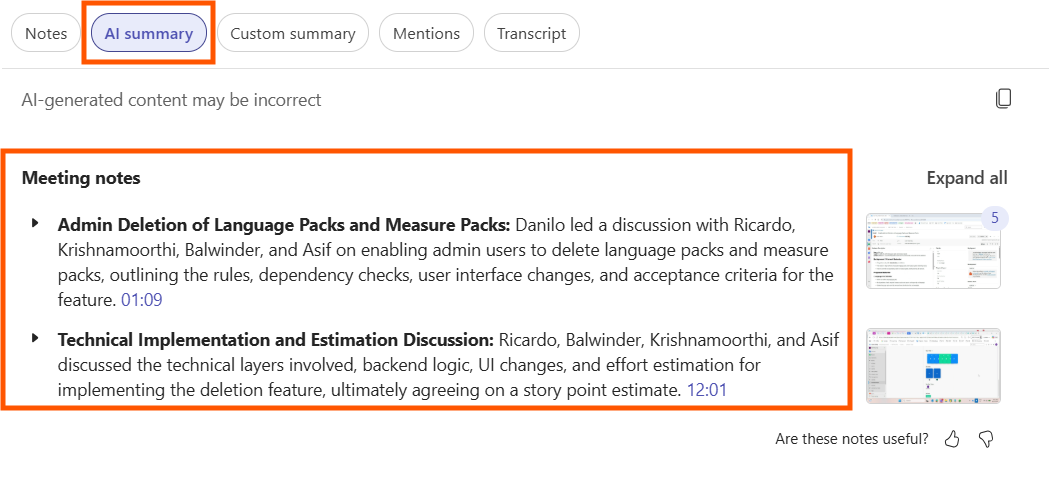
Having the AI summary at hand, you should of course review it, and then you can iterate over the AI notes, asking questions in order to clarify the requirements and identify gaps, assumptions, and edge cases. In the example below, I’m double-checking my understanding of the requirements against the summary notes.
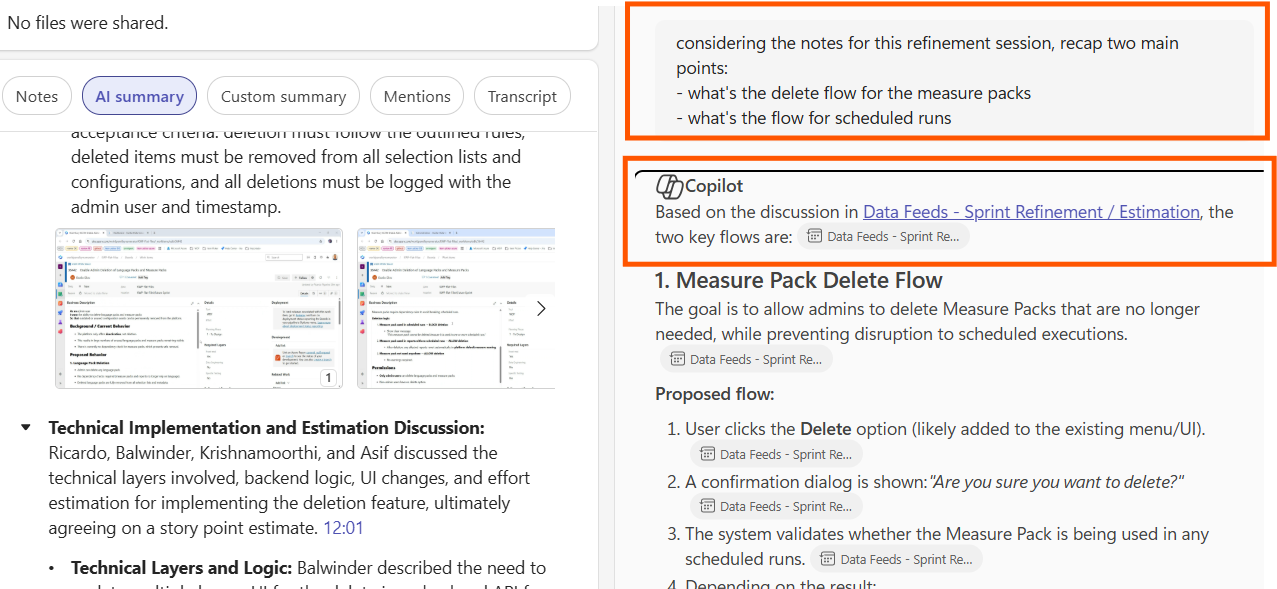
Potentially, the gaps identified may require follow-up sessions with the business owner(s), which is completely normal. Once you have a clear understanding of the requirements, we are fine to move to the next step. :)
2. Solution Design
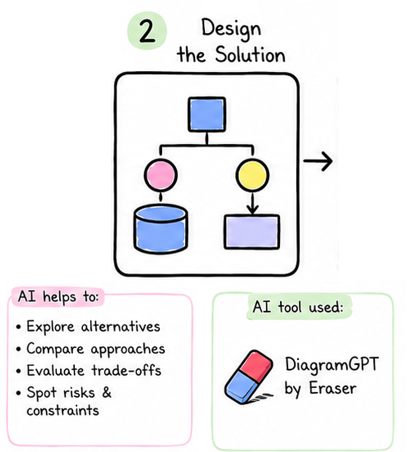
Then, after defining and clarifying the requirements, the next step is to work on the solution design. This stage could be fast for some small and/or recurrent requests. However, there are cases (especially the most complex ones) where this is the point when the technical solutions should be discussed carefully with more senior team members to avoid future problems like non-scalable solutions, incompatible patterns, wrong architecture choices, and similar issues.
Therefore, aiming to keep the solution crystal clear and structured, to make sure everyone is on the same page, I strongly advocate for diagrams and visual flows. By using this sort of tool, we can establish common ground on the solution and the key decisions.
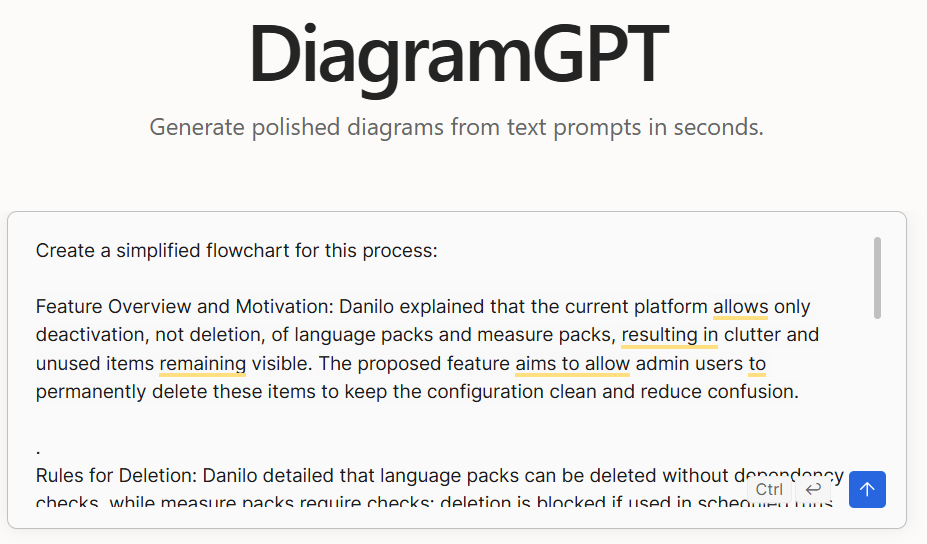
In this context, here is my next AI tool: DiagramGPT by Eraser. Basically, using natural language and then describing the business requirements you got in the step above, this tool is capable of automatically generating a full diagram for your solution, which is also customizable.
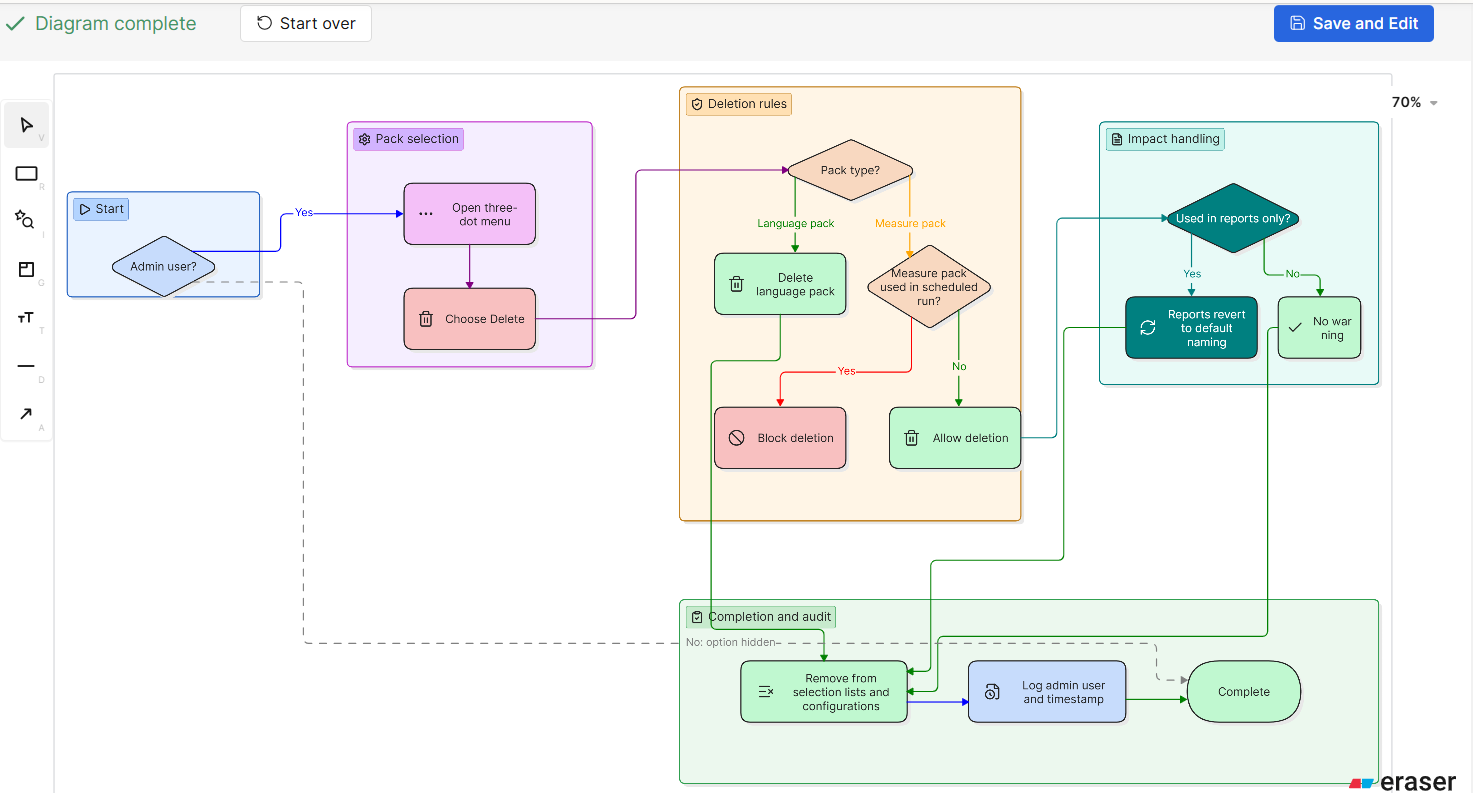
In the example below, I input the business requirements (the ones AI-generated and reviewed based on the ‘AI summary’ from the step above) into the tool, and I’ll get my full diagram generated by a specialized artificial intelligence tool.
After a few seconds of processing the inputs, you’ll get a complete diagram for your solution - magic. You can also amend/customize the solution’s diagram as much as you can using their own platform, which is really helpful.
Now that we already have clear requirements and a solution design, let’s move on to user stories definition.
3. Defining User Stories
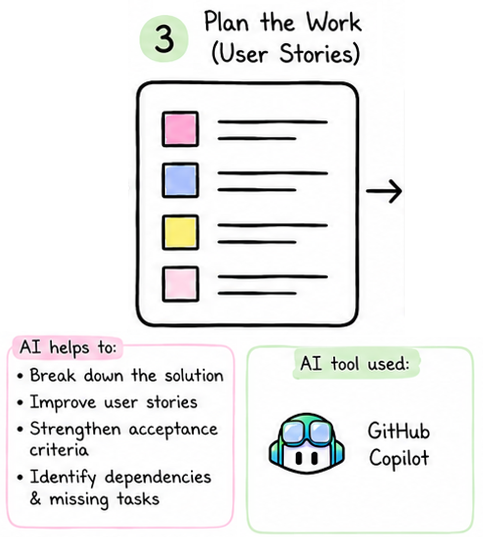
In this stage, as a technical leader, I like to combine business requirements and technical background in the user stories. For this reason, in order to include the technical/codebase context, I use GitHub Copilot to define the project’s user stories.
For this process, I like to open the code repository where the new feature is going to be implemented in VS Code and prompt for the user story creation from there. Basically, I add to the chat all the context collected, such as requirements, notes, diagrams, references for previous work items, and (one of the most important aspects) the codebase, which should guide the user story from a technical perspective.
In the example below, I’ve attached the codebase to the chat, and then I shared all the details for the user story with the agent in the chat.
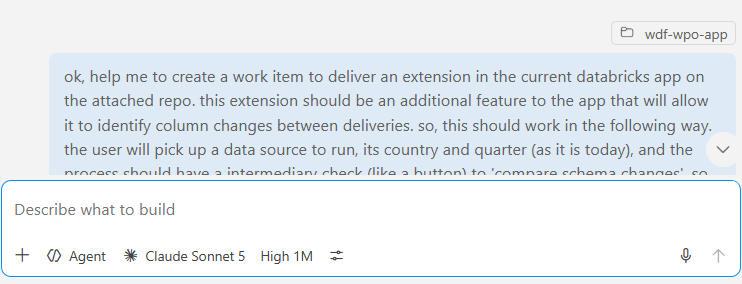
And then, magically, the AI model will consider all the provided context and output the user story following the shared requirements, as we can see in the following image:
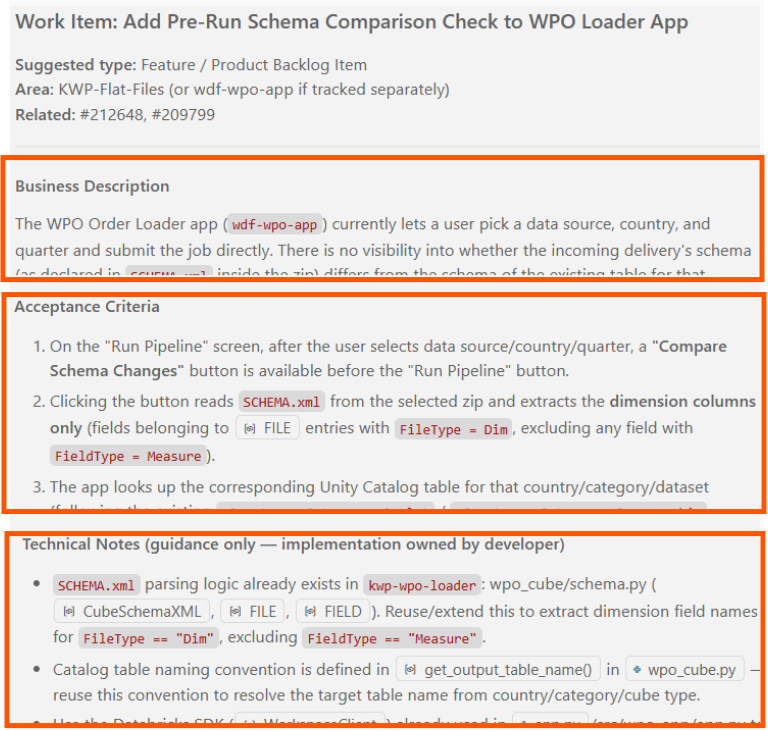
As usual, review the output, iterate over it, rewrite, and make sure that everything is aligned with expectations. Once that is done, we have a user story ready to be shared with the team.
4. Guidance & Code Reviews
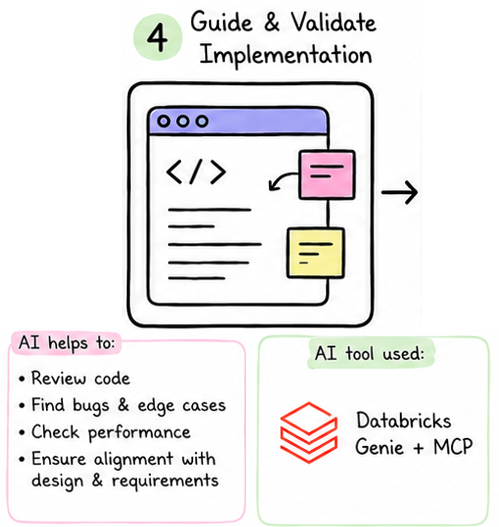
So, at this point, we should have the tech team working on the prepared work items, and some guidance and code review may be necessary.
One of the most important aspects at this stage is to be able to reconcile the work item requirements and the code developed. In order to do that, MCP’s are lifesavers. If you don’t know the concept of Model Context Protocol, it’s time to Google it.
In my current project, our team uses an MCP server that connects to Azure DevOps, which allows us to get context from the boards, work items, and pull requests.
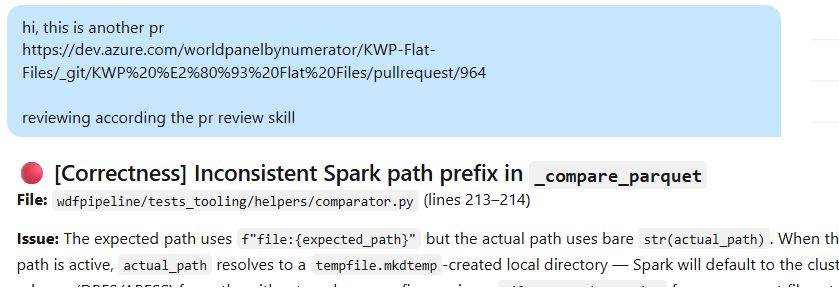
Having all this context of work items, pull requests, and the codebase is really (really) valuable for this phase. In my team, Databricks is the main platform for our job, and by using the mentioned MCP, I can provide Genie (the Databricks AI assistant) with all relevant context and ask him to help me with the code review, highlighting the most important points to cover.
As we can see in the image below, I simply shared the pull request URL, and then the AI assistant, through the MCP tool, collected all the context from the Azure DevOps PR, analyzed it against the implemented code, and shared with me the most important aspects to review.
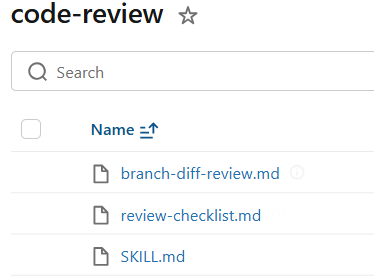
Another interesting feature for this process that helps our team a lot is the skill files. Don’t know skills? It’s time to Google it. In this case, we have a specific skill file for code review that contains all the best practices and patterns that we must follow in the project. So, this is also in the Genie context when it starts any review, which means I only need a well-defined skill file, and every time that a new code review is requested, Genie will use it as a reference. You don’t need to share the code review best practices context repeatedly.
One more time, in this sort of framework, we should always consider the ‘Human in the loop’. For example: first, I like to perform my own review of the code, add my comments, and then, as a second iteration, use AI tools to identify extra points that I might have missed.
5. Troubleshooting
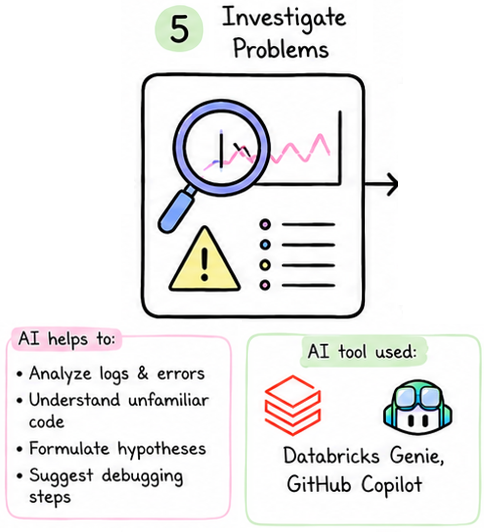
‘Occasionally’, things go wrong. Then, we need to troubleshoot and debug code, processes, and jobs. For these situations, the approach is similar to the previous one: share the most detailed context with the AI tool that best fits the situation. For example, in most cases on my current project, the necessary codebase and data context are located in Databricks. Thus, Genie is the best option to help in this case. In some other cases, I also like to use GitHub Copilot with the respective codebase attached to the prompt (similar to step 3).
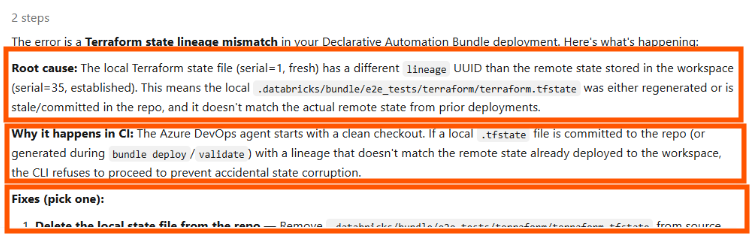
In the example below, I was facing an error in one of the project’s pipelines and collected the raw log error message with the most possible details and shared it with Genie AI, adding a small amount of additional context (end2end pipeline, test run, Azure)
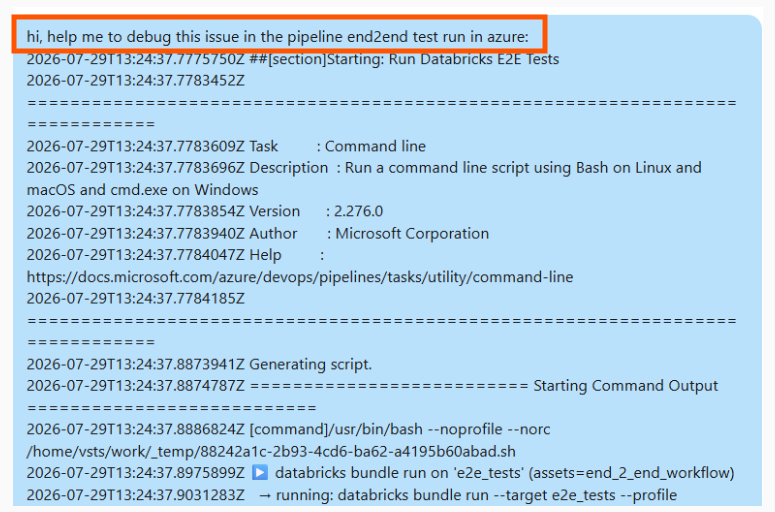
In a matter of seconds, as Genie already had context for this process, it was able to provide the root cause, the reason, and the fix. The dev team validated the suggested changes, implemented them, shared them with the QAC team, and then we shipped a bug fix in just a few minutes.
This is really powerful.
6. Outcomes Communication
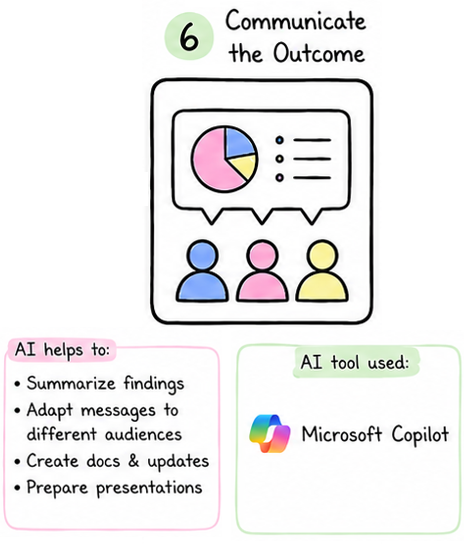
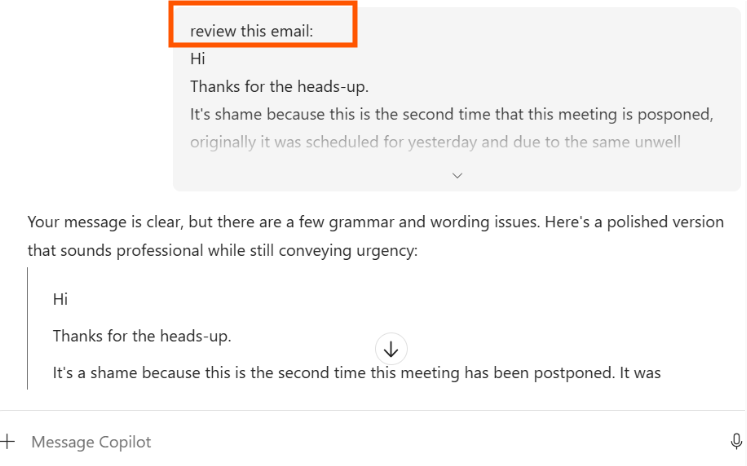
Finally, there are also relevant use cases to leverage communication using AI. A valuable example is using AI to refine and review written communication, such as emails and more formal messages. I think it’s really helpful, especially in cases like mine, where I work in an English-first environment and I’m not a native speaker.
At this stage, the approach is essentially to write the message in English by yourself first, and after that use an AI tool to review it and make it sound more natural for native speakers. Usually, I prompt the AI to keep my tone and style, as my point here is more about sounding more natural.
Additionally, there is also another important aspect of using MSFT Copilot. It has the ‘Work IQ’ feature that automatically gives the AI tool context from all your emails, chats, meetings, and files in the workspace. And this is useful context when you want to enrich messages with the right references.
Final Thoughts
All these processes have a cost attached to them. As we may know, more context, more tokens, and depending on the model that you choose, your bill can end up being quite high. So the point here is to use today’s AI tools wisely.
Finally, the main goal was to share a validated process that has been working and improving the efficiency of the tasks as a technical lead in the development lifecycle. Most likely, all these processes could be integrated into a more complete agent to run the whole flow autonomously (why not?).
If you’ve made it this far, thanks for your attention, and I encourage you to share your thoughts with me.
See you! :)